
Live Compiler Pro: Building a Real-Time Code Editor with WebRTC
Behind the scenes of Live Compiler Pro, real-time collab rooms, live chat with photo sharing, and WebRTC-based code editing in the browser.
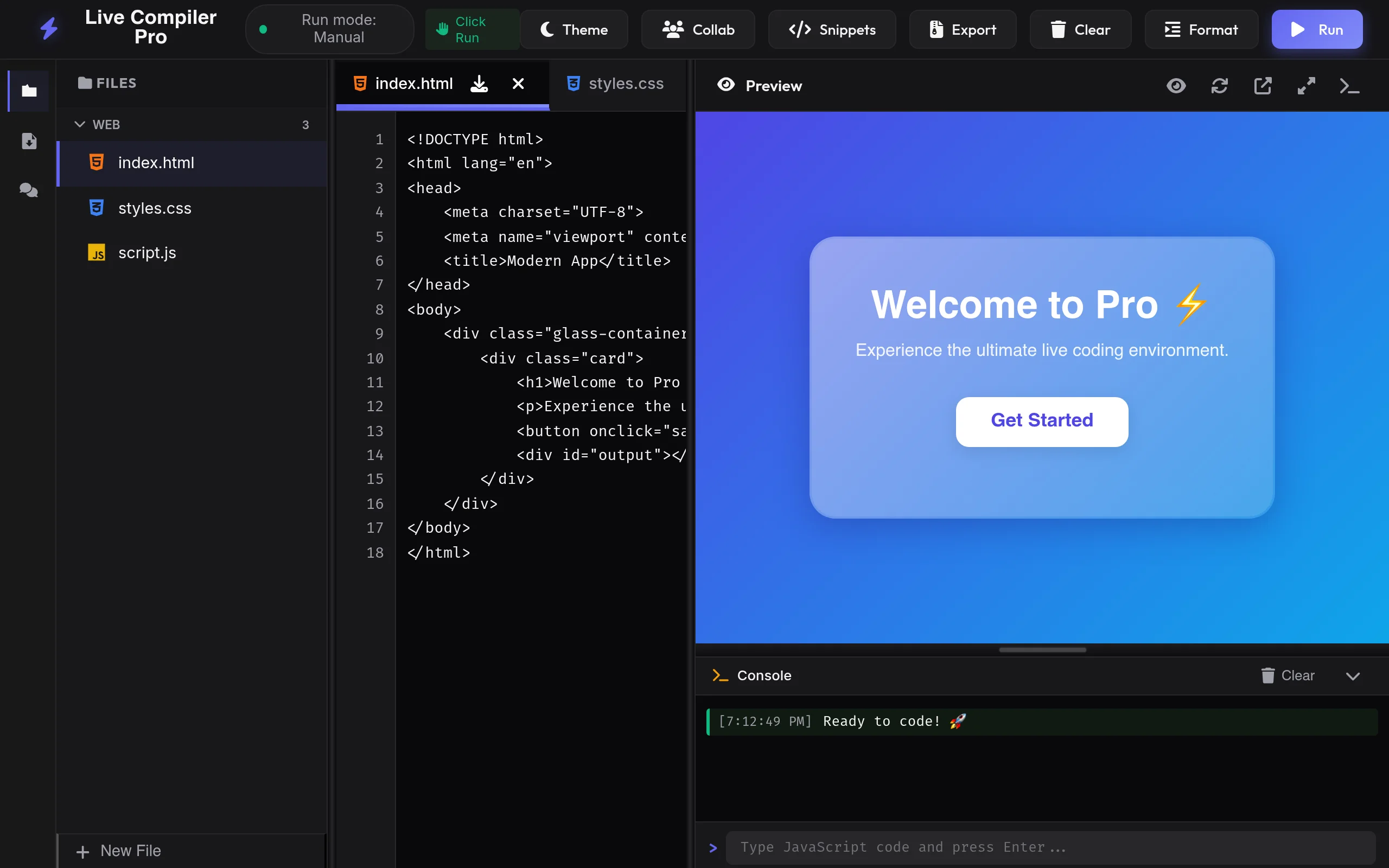
Live Compiler Pro is a browser-based IDE at live-code-hxft.onrender.com that supports multi-language editing, live preview, a built-in console, and real-time collaboration, ideal for pair programming, demos, and teaching.
The Idea
During college, I often wanted to code with friends remotely. Existing tools were either too heavy or required installations. I wanted something lightweight that works right in the browser, open the app, share a room code, and start coding together.
Core Features
- Multi-language editor, HTML, CSS, JavaScript, Python, JSON, and Markdown with syntax highlighting.
- Live preview, Run code manually or switch to Auto Run for instant HTML/CSS/JS updates.
- Built-in console, View logs, warnings, and errors; run JavaScript from the console input.
- Files & export, Create files, import from disk, rename tabs, and export as ZIP or individual files.
- Theme toggle, Dark and light modes for comfortable long sessions.
- Code snippets, Quick templates to bootstrap common patterns.
Live Collaboration (Collab)
The Collab button in the header opens the Live Collaboration panel, the heart of real-time pair programming in Live Compiler Pro. You can code together with classmates or teammates without installing anything extra.
Two ways to collaborate
- Anywhere (P2P), Connect with others over the internet using peer-to-peer networking. Best when you and your partner are on different networks or cities. The host sees a status badge (Connected / Host) and a shareable room code.
- Same Browser, Mirror code across tabs in the same browser with Tab Sync. Handy for testing responsive layouts or comparing two versions side by side without a network room.
How a live room works
- Click Collab in the toolbar, then choose a username (shown to others in the room).
- Create & Join Room, you become the host and receive a 12-character room code (for example
HGAH1QTS29ST). - Share the code via Copy invite & share, teammates paste it under Join a room and click Join.
- Everyone edits the same workspace in real time while the Chat sidebar stays open for live discussion.
- Hosts can Reconnect if the session drops or Leave Room to end their participation.
Live Chat inside Collab rooms
Collaboration is not just shared code, you also get a built-in Chat panel on the left so you never have to switch to WhatsApp or Discord mid-debug. On Live Compiler Pro, chat is tied directly to the active room: text and images stay in the same thread as your live coding session.
Architecture
Backend
The server is built with Node.js and Express. Socket.io handles the WebSocket connections for real-time events:
const io = require('socket.io')(server);

io.on('connection', (socket) => {
    socket.on('code-change', (data) => {
        // Broadcast to all other users in the same room
        socket.to(data.room).emit('code-update', data.code);
    });

    socket.on('chat-message', (msg) => {
        io.to(msg.room).emit('new-message', msg);
    });
});
Frontend
The editor uses a code editor component with syntax highlighting. Changes are captured on every input event and emitted through Socket.io. Incoming updates are applied without disrupting the local user's cursor position.
Challenges
- Conflict resolution, When two users edit the same line simultaneously, changes can clash. I implemented a simple last-write-wins strategy which works well for small teams.
- Cursor management, Applying remote changes without jumping the local cursor was tricky. I track cursor offsets before and after applying updates.
- Room management, Each collaboration session gets a unique room ID. Users join by appending it to the URL.
What I Learned
This project deepened my understanding of WebSockets, real-time event architectures, and the challenges of collaborative editing. It also taught me how to structure a Node.js application for scalability.