
Files Shorter: A Client-Side File Organizer for Google Drive
How I built a zero-server file uploader that organizes uploads into Google Drive folders by subject, using just HTML and JavaScript.
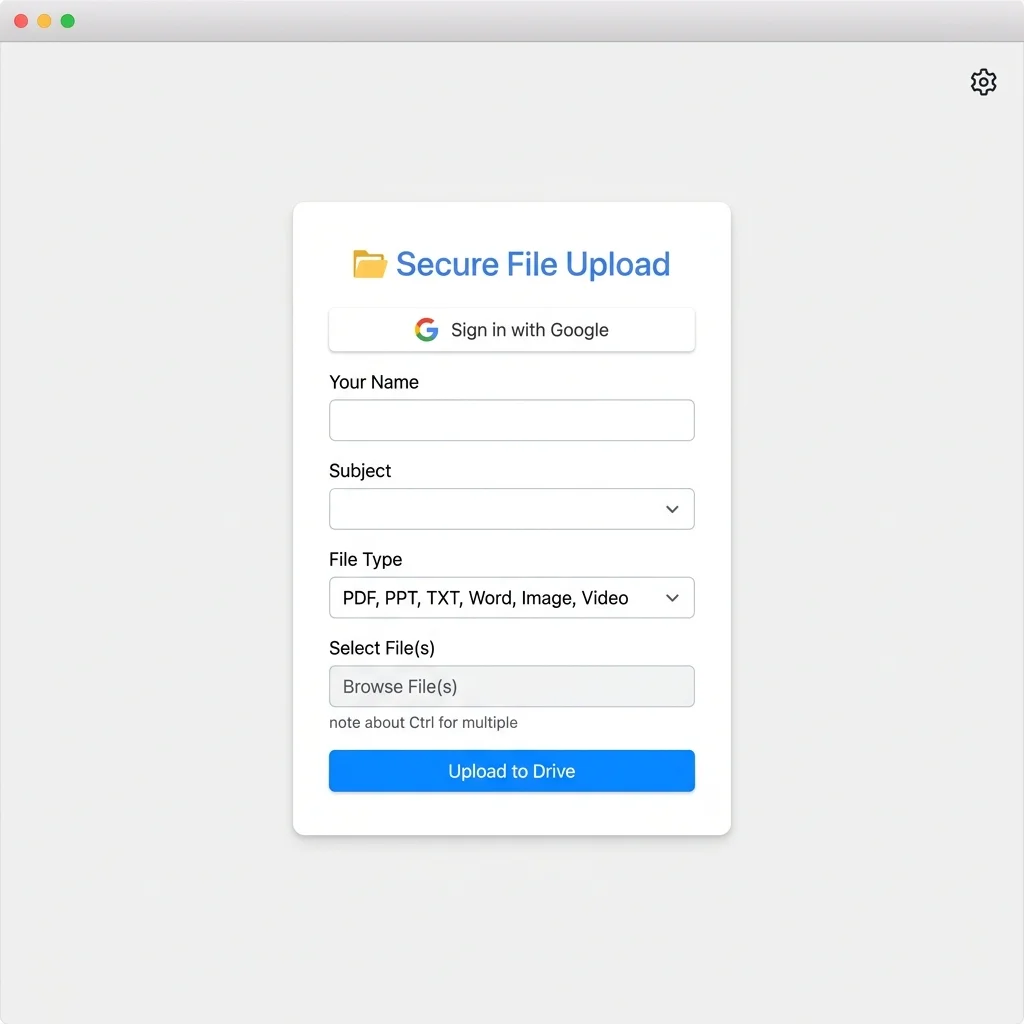
Files Shorter is a lightweight, client-side web application that lets users upload files directly to Google Drive, automatically organizing them into folders by subject or category. No backend server required.
The Problem
In college, we constantly share notes, assignments, and resources. Files end up scattered across WhatsApp groups, email threads, and random folders. I wanted a simple tool where anyone could upload a file, pick a subject, and have it automatically land in the right Google Drive folder.
How It Works
- The user selects a subject from a dropdown menu.
- They pick one or more files to upload.
- The app authenticates with Google Drive using the Google API client library.
- Files are uploaded directly to the corresponding folder in Drive.
Key Code: Uploading to a Specific Folder
function uploadFile(file, folderId) {
    const metadata = {
        name: file.name,
        parents: [folderId]  // Target folder in Drive
    };

    const form = new FormData();
    form.append('metadata', new Blob(
        [JSON.stringify(metadata)],
        { type: 'application/json' }
    ));
    form.append('file', file);

    return fetch(
        'https://www.googleapis.com/upload/drive/v3/files?uploadType=multipart',
        {
            method: 'POST',
            headers: { Authorization: 'Bearer ' + accessToken },
            body: form
        }
    );
}
Design Decisions
- No backend, Everything runs in the browser. The Google API client handles authentication via OAuth2.
- Predefined folders, Subject folders are created in advance on Drive. The app maps subject names to folder IDs.
- Simple UI, A clean, minimal interface that anyone can use without instructions.
What I Learned
Working with the Google Drive API taught me about OAuth2 flows, multipart file uploads, and the importance of keeping things simple. The entire app is under 200 lines of JavaScript.